


Egress Allowlist
Overview
As part of our heightened security posture and constant drive to full zero trust, we deny egress from our clusters by default and can add exceptions to an allowlist through configuration, pending approval. We have created a request form in the help desk to help streamline this approval.
As you likely know, your architecture diagram that is required for CtF requires you to identify all external connections and associated ports. We will also implement these security practices in our staging cluster for consistency and security of our environment. In this case, external connections mean anything that is deployed outside the Kubernetes namespace that your container is deployed to – this includes external connections to the open internet, other DoW ATO'd systems (i.e., external data sources), and internal to a P1 environment but deployed by a different app or team.
Examples
Below are examples of external connections that would require a configuration update for your application. Regardless of which examples apply to you, the request process is the same.
Note
Connecting to services at different ILs requires additional approval and may not be possible in some cases.
Internal to P1 Environment
Connection to DSOP Cluster
Let's say your application needs to pull information from the P1 deployed instances of Jira or GitLab for some sort of metrics collection. Since your application will be deployed in our mission clusters (staging and production), which are in different VPCs from where we host Jira and GitLab (our DSOP clusters), you would need an egress request to make that connection.
Connecting to a Service from a Different Mission App in the Same Cluster
In this scenario, you need to connect to a different application that is also deployed by P1 and the Party Bus team for information. This could happen if you are part of the same software factory and hitting the API from a sister team. Even though they are deployed in the same cluster as you, you would need to submit an egress request because the service you are connecting to is deployed in a different namespace.
External to P1 Environment
It may be the case that your application needs to connect to something as an external data provider, such as the UDL. The UDL is hosted outside of P1 Environments, so this would require an egress request. To process these, we will need to assess the security impact to connect to an external environment and need you to provide an ATC, which is some processing you need to do in support of your CtF process in compliance with our ATO. Please reach out to your CAT representative if you have questions.
NIPR Guidance
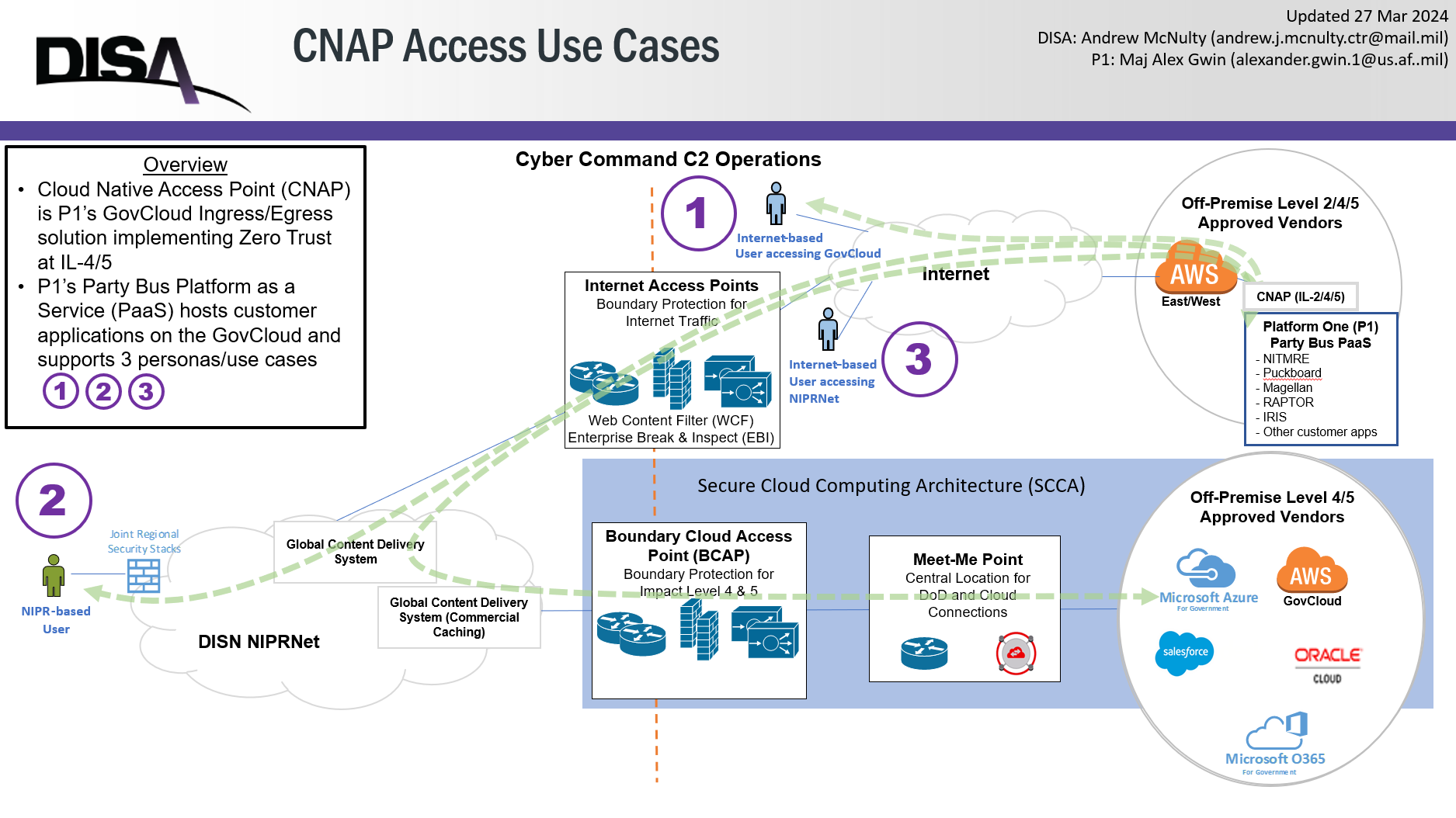
Connections to the NIPR boundary are not explicitly allowed from P1/Party Bus. Customers wanting to make a connection into the NIPR boundary will need to note this in the tickets created for egress requests (see below). The process for allowing traffic into the NIPR boundary involves the P1 team filling out a ports and protocols form, as well as working with DISA to allow this traffic. Please be ready to answer these three questions when creating a ticket for egress to NIPR.
- What is the FQDN of your Party Bus app?
- Do you want access from both staging and production?
- Is the endpoint on NIPR cloud hosted or not?
Making the Request
Errors That Indicate This Request May Be Needed
In our testing, we saw two different errors that popped up as we tried to hit endpoints that weren't on the allow list:
- SSL Certificate errors - this is due to Istio terminating the communication. The SSL portion is a bit of a red herring, but it points towards Istio being the source of the error.
- Bad Gateway (502) errors.
How to Submit a Request
Use the appropriate Help Desk request form. Please remember to update your architecture diagram after submitting your request to ensure a smooth CtF process.