Mattermost Wrangler Plugin
Overview
Read this document to understand the Wrangler plugin and how to use it in Mattermost Threads to organize discussions, maintain clarity, and improve your workflows.
Usage
The Wrangler plugin offers two core features to users:
- Moving or copying message threads to a different team or channel.
- Attaching messages to threads.
Moving/Copying Message Threads
Note
Messages cannot be moved from private, direct, or group message channels.
To move or copy message threads:
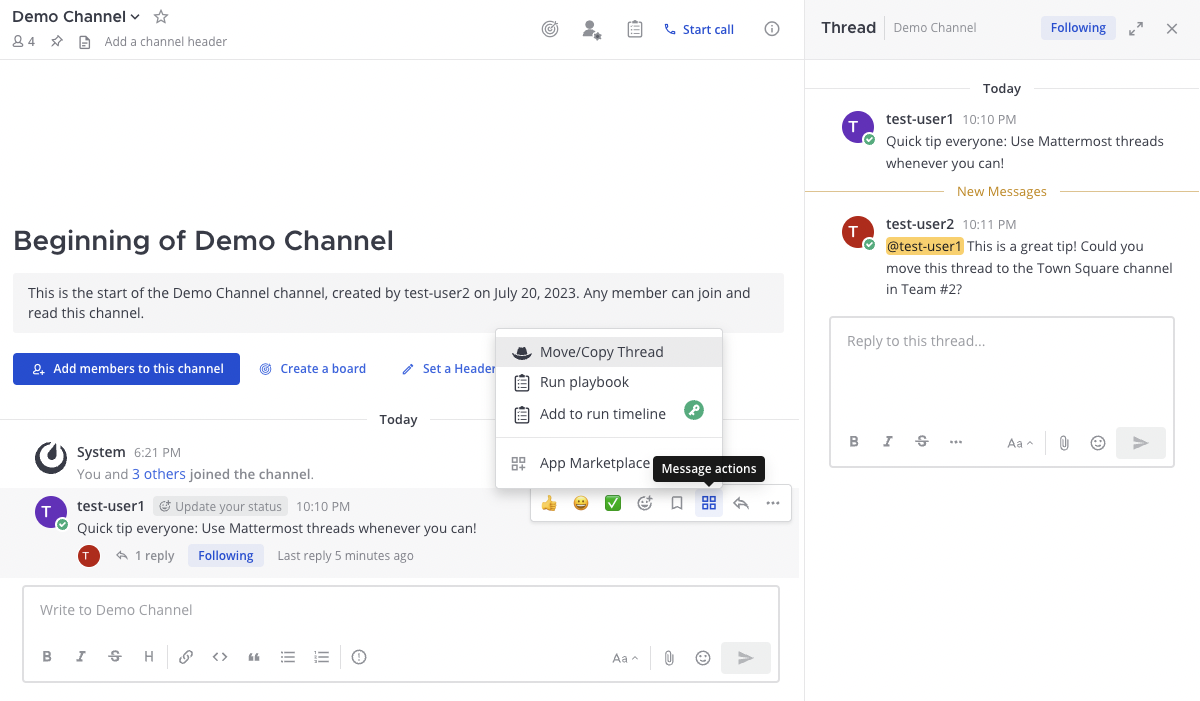
Hover over the thread you want to move or copy.
Select Message actions (the four squares icon).
Select Move/Copy Thread from the panel that appears. A window will pop up.
Select Move or Copy.
Pick the team and channel where the thread should be sent.
Use the Show root message in move summary toggle to display the root message in the post-move summary.
Use the Silence all Wrangler informational Messages toggle to mute Wrangler messages and user DMs when moving the thread.
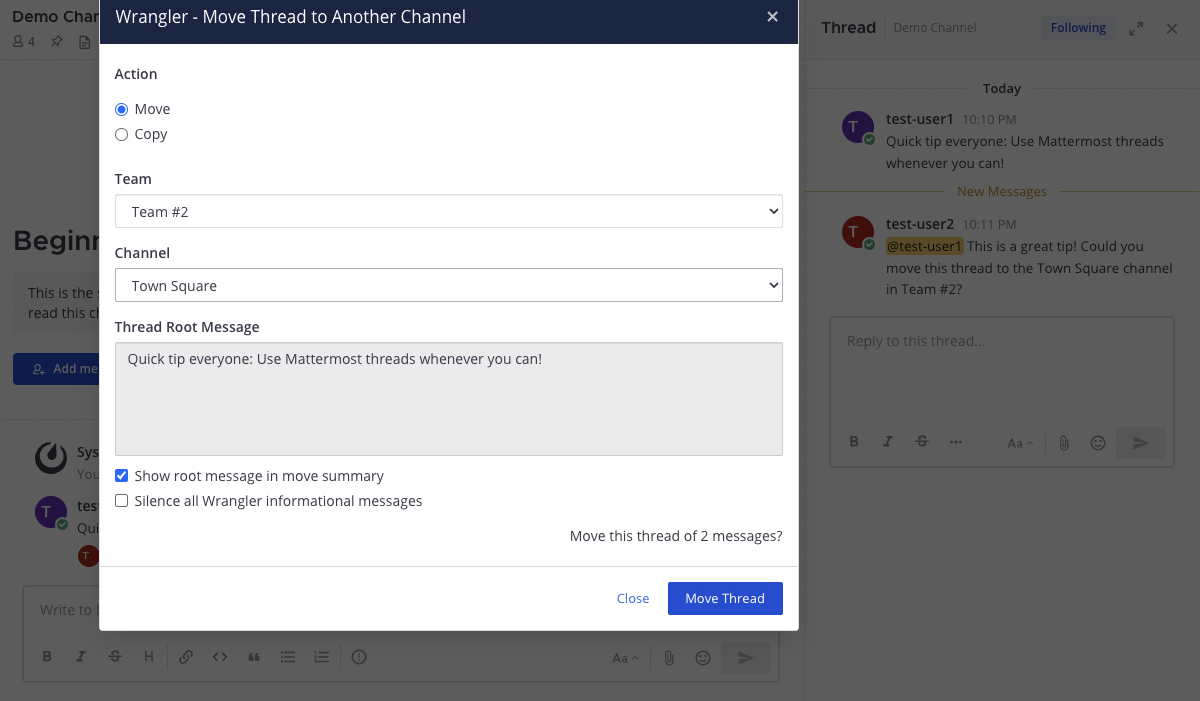
Select Move Thread to complete the move.
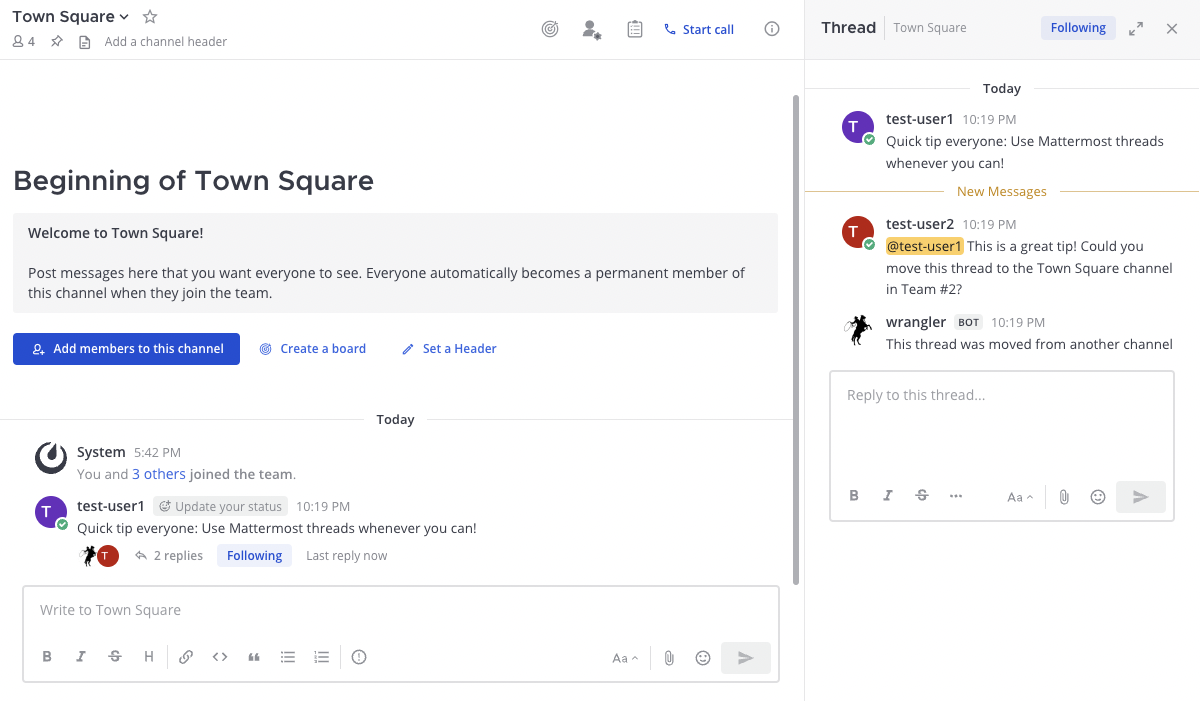
Attaching Messages to Threads
Note
You cannot attach messages to threads if they are already part of a thread.
To attach a message to a thread:
Hover over the message that you want to attach to a thread.
Click on Message actions (the four squares).
From the panel that appears, click on Attach to Thread.
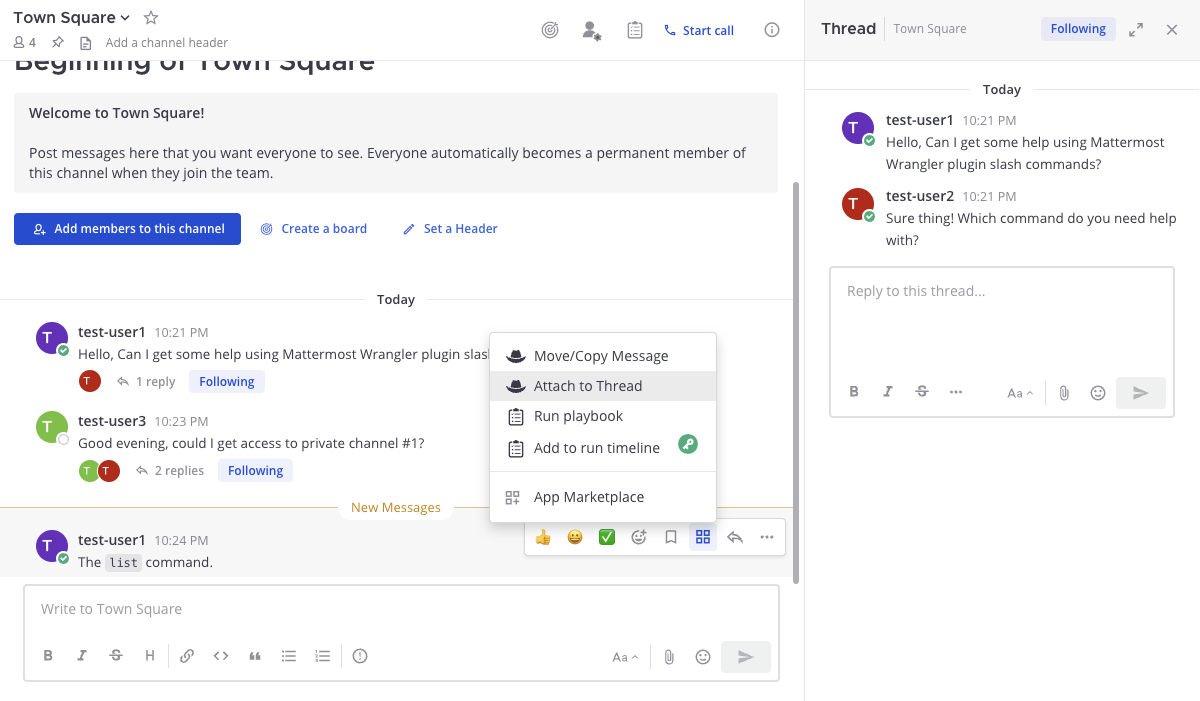
Hover over the thread where the message should be attached.
Click on Message actions (the four squares).
From the panel that appears, click on Attach to this Thread.
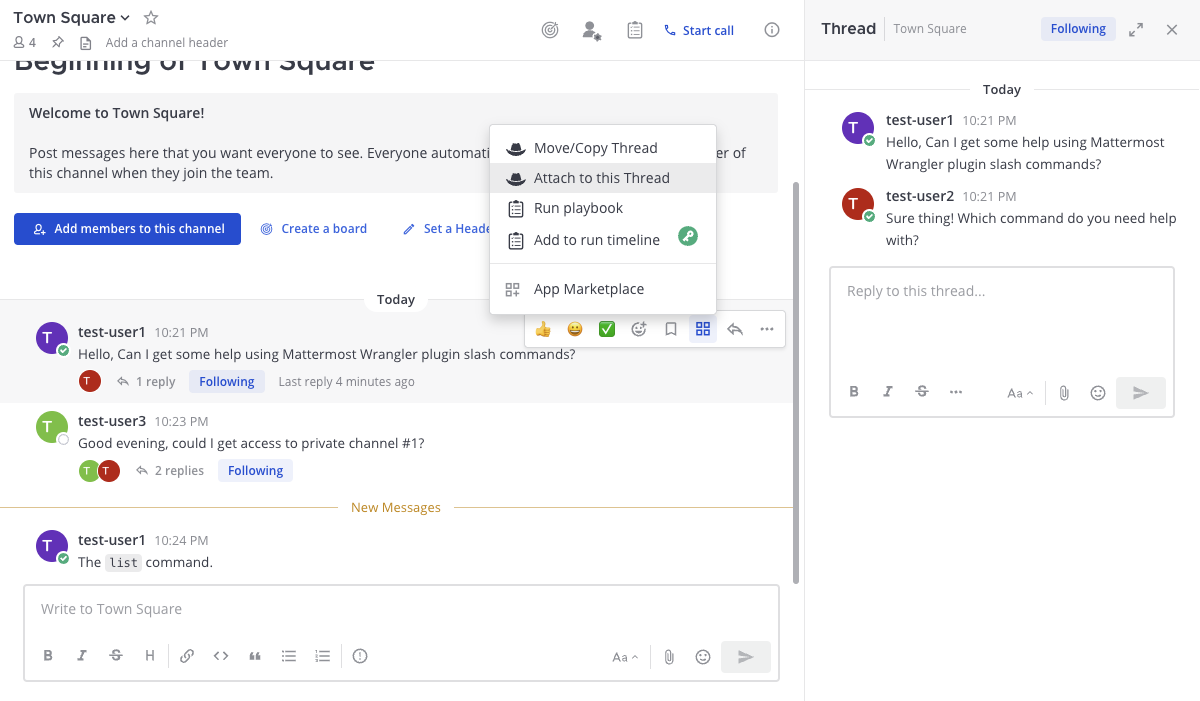
The original message will be deleted and appear as part of the thread.
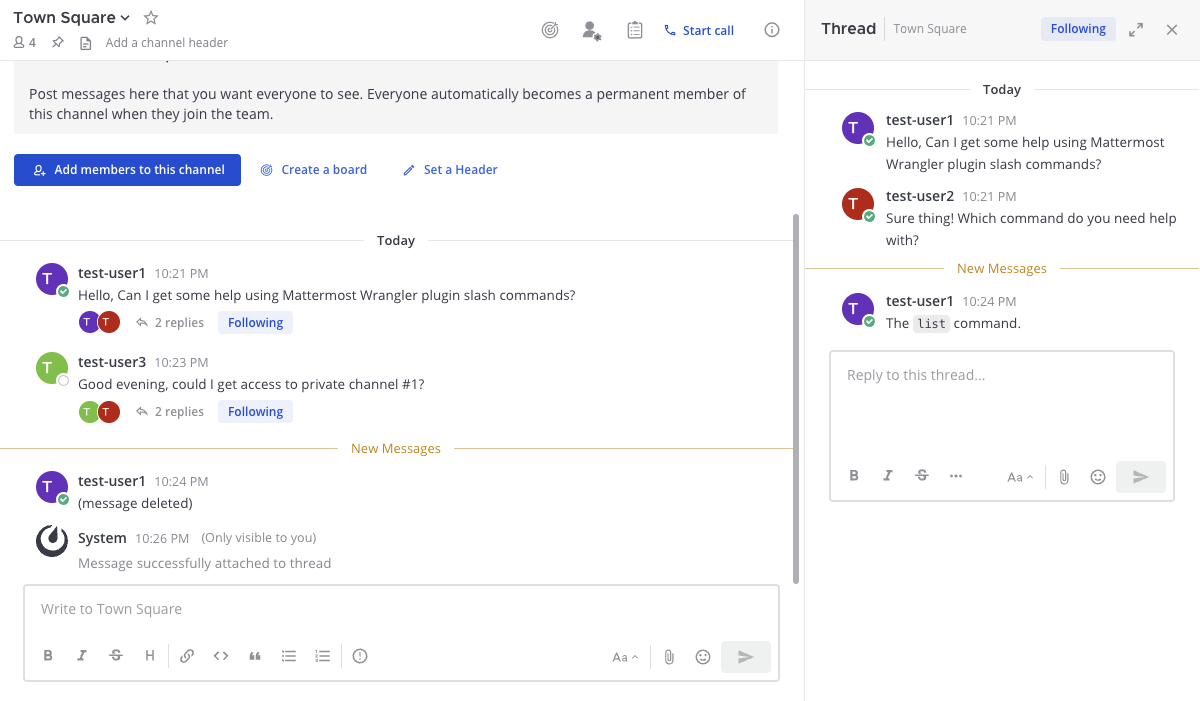
Slash Commands
The Wrangler plugin can also be managed using slash commands:
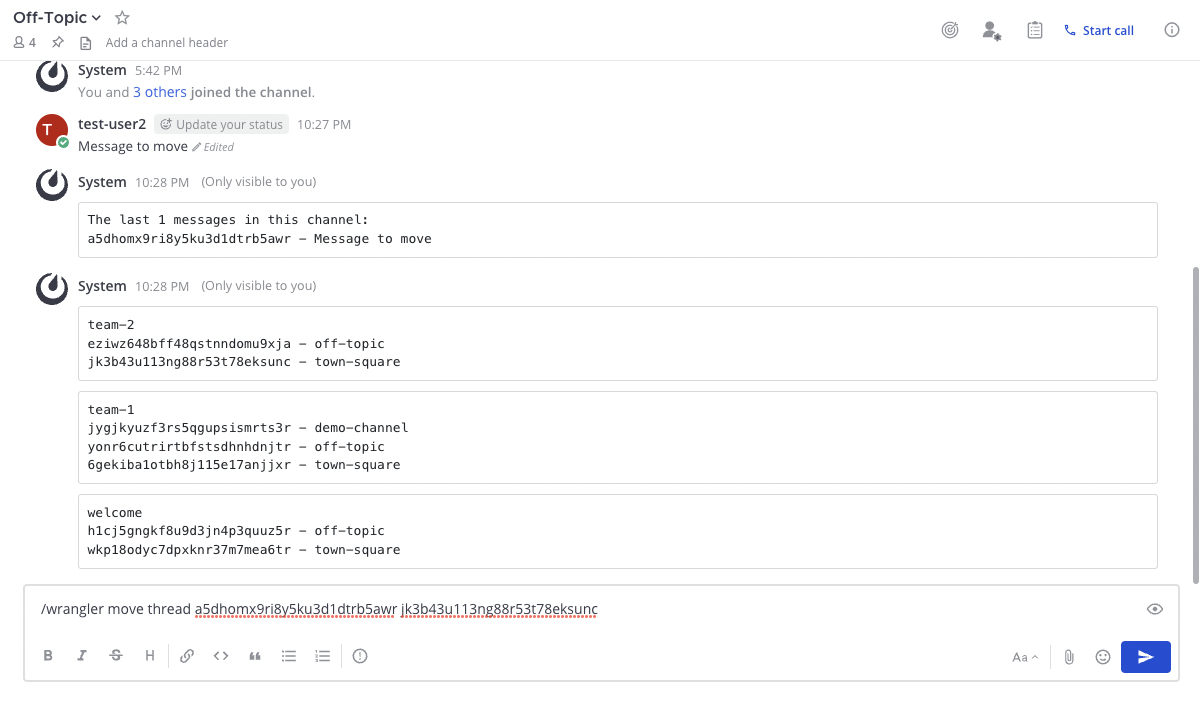
/wrangler help- Shows detailed help information./wrangler info- Displays Wrangler plugin information./wrangler list channels [flags]- Lists the IDs for channels.--channel-filter- Channels must include this key term in their names.--team-filter- Teams must include this key term in their names.
/wrangler list messages [flags]- Lists the IDs for messages.--count- The number of messages to return, between 1 and 100 (default is 20).--trim-length- The maximum number of characters to preview in the listed messages, between 10 and 500 (default is 50).
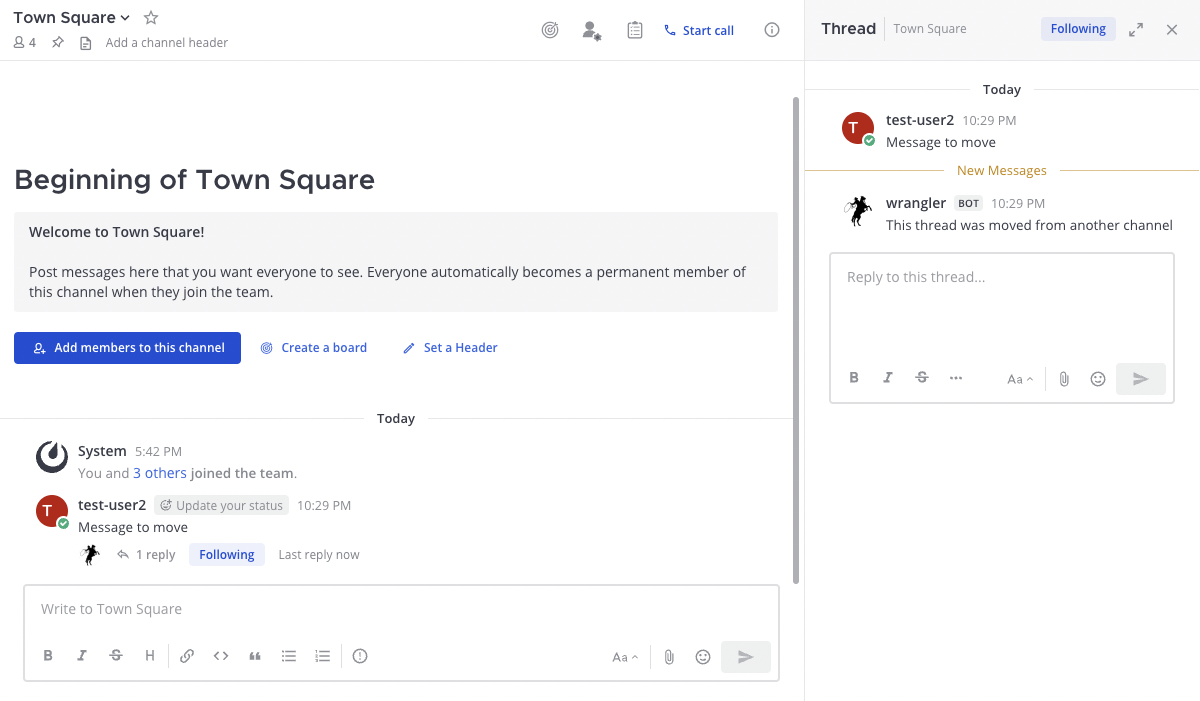
/wrangler attach <MESSAGE_ID_TO_ATTACH> <ROOT_MESSAGE_ID>- Attaches a message to a thread in the channel./wrangler copy thread <MESSAGE_ID> <CHANNEL_ID>- Copies a message along with its thread./wrangler move thread <MESSAGE_ID> <CHANNEL_ID> [flags]- Moves a message and its associated thread.--show-root-message-in-summary- Displays the root message in the post-move summary (default is true).--silent- Mutes Wrangler summary and user DMs when moving the thread.
Examples